


I Mastered Claude So You Don't Have To (Beginner to Advanced)

Praveen Kumar
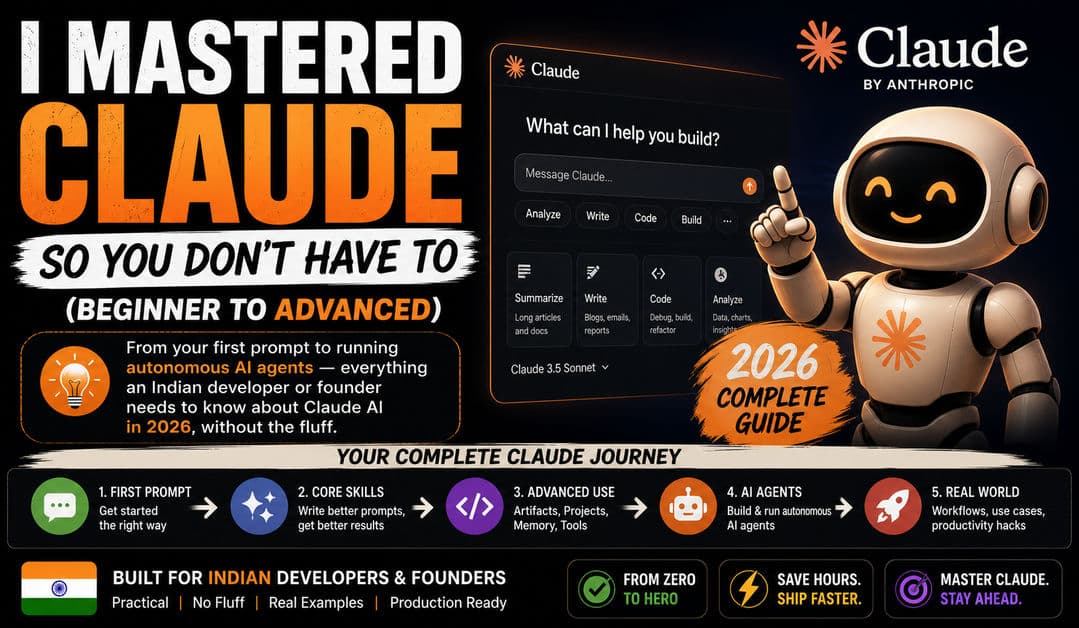
Most People Use Claude Like a Fancy Google Search. That's the Problem.
I've watched dozens of Indian developers and founders use Claude the same way: open the chat, type a vague question, get a decent answer, close the tab. Repeat tomorrow with zero continuity. They're paying ₹2,399/month for Pro and using maybe 10% of what the tool can actually do.
Claude isn't a chatbot. In 2026, it's a workspace — with persistent memory, project-level context, live interactive applications, web research, desktop file access, terminal-level code execution, and autonomous agent workflows. The gap between someone who uses Claude casually and someone who uses it properly is the same gap between someone who uses Excel for grocery lists and someone who builds financial models in it.
This guide walks you through every layer — from your first conversation to running autonomous coding agents — with specific techniques that work in real production scenarios. No hypothetical demos. No feature tour padding. Just the stuff that actually changes how you work.
Level 1: The Basics Most People Skip
Choosing the Right Model
Claude isn't one model. It's a family, and picking the wrong one wastes either money or capability.
Sonnet 4.6 is the default on Free and Pro plans. It's fast, capable, and handles 90% of daily tasks — writing, analysis, summarization, basic coding. If you're on the free tier, this is what you get, and it's genuinely good.
Opus 4.6 is the workhorse for complex reasoning, long documents, and multi-step coding tasks. It's slower and costs more tokens, but the quality jump is real when the problem is hard. Many developers on Reddit consider this the best coding model Anthropic has shipped.
Haiku 4.5 is the fast, cheap option for lightweight tasks — quick lookups, simple formatting, short answers. If you're building API workflows and watching your token bill, Haiku is where you save money.
The rule of thumb: start with Sonnet. If the output isn't deep enough, switch to Opus. Use Haiku for anything you'd be embarrassed to spend Opus-level compute on.
Your First Useful Conversation
Here's what a bad first prompt looks like: "Tell me about Node.js."
Here's what a good first prompt looks like: "I'm building a REST API with Express and PostgreSQL for a fintech app that handles UPI payments. The API needs to handle 500 concurrent requests. What architecture patterns should I use, and what are the common scaling mistakes Indian startups make at this stage?"
The difference isn't just specificity — it's context density. Claude performs dramatically better when it knows who you are, what you're building, what constraints you're working under, and what outcome you want. Give it the full picture upfront instead of making it guess.
Memory: Stop Re-Introducing Yourself
Claude has persistent memory that carries across conversations. It remembers your name, your tech stack, your preferences, your role — so you don't have to repeat "I'm a Node.js developer building a SaaS product in India" every single time.
Turn it on in Settings. Once active, Claude builds a profile from your conversations automatically. You can also tell it directly: "Remember that I use Next.js 14, PostgreSQL with Prisma, and deploy on AWS Mumbai region." That context will inform every future response.
Memory is available on all plans, including free. If you're not using it, you're deliberately choosing to have less-relevant responses.
Level 2: Projects and Artifacts — Where Claude Becomes a Workspace
Projects: Your Persistent Context Layer
This is the feature that separates casual users from power users. A Project in Claude is a container with its own system instructions, uploaded reference files, and conversation history.
Say you're building a payment integration for an Indian SMB client. Create a Project called "Razorpay Integration — Client X." Upload the API documentation, your existing code structure, and the client's requirements doc. Write custom instructions like: "Always suggest error handling for Indian payment edge cases — UPI timeouts, bank downtime, and partial captures. Use TypeScript examples. Reference the uploaded Razorpay webhook spec for all payment-related answers."
Now every conversation inside that Project starts with full context. You don't brief Claude again. You don't re-upload files. You just ask your next question, and Claude already knows the codebase, the client constraints, and your coding style.
Free users get up to five Projects. Pro users get more. Either way, the feature is available — use it.
Artifacts: Live Applications Inside Your Chat
Artifacts transform Claude's output from static text into interactive, rendered objects — React components, SVG diagrams, HTML dashboards, data visualizations, documents, and full mini-applications — displayed in a side panel next to your conversation.
When Claude generates a 200-line React component as regular chat text, you have to copy it, paste it into VS Code, install dependencies, and run it just to see what it looks like. When it generates the same component as an Artifact, it renders live, right there. You see the UI immediately, iterate on it in the conversation, and publish it with a shareable link if you want.
In 2026, Artifacts support persistent storage (data survives between sessions, up to 20MB), direct API calls to Claude itself (so you can build AI-powered mini-apps inside Artifacts), and MCP integrations that connect to Google Calendar, Gmail, Slack, and other services.
For Indian freelancers and agency founders, this is a rapid prototyping machine. Client wants to see a dashboard mockup? Build it as an Artifact in 3 minutes, share the link, iterate based on feedback — all without spinning up a dev environment.
Level 3: Prompt Engineering That Actually Works
Forget the 2023 era of "act as a senior developer" role prompts. Claude in 2026 rewards structure over clever phrasing. Here are the techniques that move the needle.
XML Tags for Structured Input
Claude responds exceptionally well to XML-tagged prompts because it can parse sections unambiguously:
Instead of a wall of text like "Here's my code and I want you to review it for security issues and also check performance and suggest improvements," structure it as distinct tagged blocks — one for your code context, one for the specific task, one for the output format you want, and one for constraints like "don't suggest changes that require new dependencies."
This isn't a gimmick. Anthropic's own documentation recommends XML tags as a primary technique. The structured input maps directly to structured output — and structured output is what you can actually use in production.
Constraint Stacking
Tell Claude what NOT to do. This is counterintuitive but massively effective. "Don't use generic variable names. Don't suggest ORMs if I'm writing raw SQL. Don't include boilerplate imports I didn't ask for. Don't explain concepts I already know — I have 5 years of backend experience."
Negative constraints eliminate default behaviors that waste your time. Without them, Claude over-explains, over-formats, and adds unnecessary padding — because it's trying to be helpful to the broadest possible audience. Constraints tell it you're not that audience.
Give Permission to Say "I Don't Know"
Add one line to your prompts: "If you're unsure about any specific detail, say so instead of guessing."
This single instruction reduces hallucinations dramatically. Claude is trained to be helpful, which sometimes means it fabricates plausible-sounding specifics (API endpoints, library versions, pricing details) rather than admitting uncertainty. Giving it explicit permission to flag gaps makes every response more trustworthy.
The 4-Block Prompt Pattern
For any substantial task, structure your prompt in four blocks: Context (who you are, what you're building), Task (exactly what you want done), Format (how the output should look), and Constraints (what to avoid). This isn't original — it's a consolidation of what works. But consistently using this pattern produces better results than any amount of clever phrasing.
Level 4: Web Search, Research, and Staying Current
Claude's training data has a cutoff. But with web search enabled (toggle it in the chat interface), Claude searches the live web, reads current sources, and cites them in its responses.
This matters more than most people realize. If you're asking Claude about the latest Next.js release, current Razorpay API changes, or recent RBI regulations on digital payments — it's not guessing from 2024 data. It's pulling live information and citing where it came from.
Deep Research goes further: Claude runs multi-step research workflows, searching across dozens of sources, synthesizing findings, and delivering structured reports. For Indian SMB founders who can't afford a ₹50,000/month market research subscription, this is a legitimate substitute for basic competitive intelligence and trend analysis.
Use web search for anything time-sensitive. Use Deep Research for anything that needs breadth and synthesis.
Level 5: Claude Code — Where It Gets Serious
Claude Code is a command-line tool that lives in your terminal. It reads your codebase, edits files, runs commands, handles git operations, and executes multi-step development tasks — all from natural language instructions.
This is not the same as pasting code into claude.ai. Claude Code has direct access to your project files, your terminal, and your development environment. It can open a file, read the surrounding code for context, make targeted edits, run your test suite, see what failed, and fix the issue — in a loop, without you intervening at each step.
The Loop Revolution
The biggest shift in Claude Code during 2026 is loop engineering. Boris Cherny, the person who built Claude Code at Anthropic, publicly stated: "I don't prompt Claude anymore. I have loops running that prompt Claude. My job is to write loops."
The key primitives: /goal tells Claude to keep working until a verifiable condition is met — a separate model checks progress after each step. /loop repeats a prompt on an interval inside your session. /schedule makes that persistent — it survives your session ending. Routines run on Anthropic's cloud, triggered by schedules, webhooks, or GitHub events.
For Indian dev teams, start with /goal for one well-defined task — "Fix all failing tests in this module, keep going until the full suite passes." That single workflow change will show you what autonomous coding agents feel like before you invest in the more complex primitives.
MCP: The Integration Layer That Changes Everything
Model Context Protocol is an open standard Anthropic built so Claude can connect to external tools and data sources through one interface. Think of it as a universal adapter — one protocol lets Claude plug into Gmail, Google Drive, Slack, GitHub, PostgreSQL, Notion, and hundreds of other services.
As of mid-2026, there are over 200 official and community MCP servers. For an Indian agency or SMB, this means Claude can read your client emails from Gmail, pull project data from your GitHub repos, check your Google Calendar, and reference your Google Drive documents — all inside the same conversation or Claude Code session.
MCP remote connectors are available on Pro, Max, Team, and Enterprise plans. Local MCP works on any plan through the Claude Desktop app.
The Mastery Path: What to Do This Week
Don't try to use everything at once. Here's the progression that actually works:
Day 1-3: Turn on Memory. Start one Project for your most active work. Use the 4-block prompt pattern on every interaction and notice the difference.
Day 4-7: Build your first Artifact — a dashboard, a calculator, a client-facing prototype. Share the link with someone. Experience how fast the feedback loop becomes.
Week 2: If you code, install Claude Code from the terminal. Let it handle one real task in your codebase — a bug fix, a test suite, a refactor. Observe how it reads context and iterates.
Week 3-4: Set up one MCP connection (start with Google Drive or GitHub). Experience what it feels like when Claude can actually access your real work data instead of you copy-pasting everything.
Month 2: Experiment with /goal in Claude Code for a repetitive workflow — CI checks, documentation updates, dependency audits. This is where you start designing loops instead of writing prompts.
The developers who master Claude in 2026 won't be the ones who write the cleverest prompts. They'll be the ones who build the best systems around it — Projects for persistent context, MCP for real data access, loops for autonomous execution, and the judgment to know when the AI should lead and when a human should.
That's the whole game. Stop using Claude like a search engine. Start using it like infrastructure.
Published by APXTECK — AI-powered development and automation for Indian SMBs. apxteck.com/services
Article Comments
You must be signed in to post comments.
Sign In to Join the Discussion →No comments approved yet. Be the first to share your thoughts!
About the Author

Praveen Kumar
Co-Founder & DirectorFull-Stack Developer, APXTECK
Praveen Kumar is the Co-Founder and Full-Stack Developer at APXTECK, an AI-powered IT agency helping Indian SMBs grow through web development, automation, and AI integration. He builds production-grade systems using Node.js, Next.js, PostgreSQL, and modern AI APIs. When he is not shipping code, he is writing about practical technology that actually works for Indian businesses.
Related Insights

Claude Code Loops Explained: Why Prompts Alone Won't Cut It

Are You Doing Dark Mode Wrong? 5 Psychological Color Mistakes Destroying Your UX

MCP Servers Are the Biggest Developer Productivity Shift of 2026

Claude Tag Makes AI a Teammate. That's the Trap.

Vibe Coding Is a Trap (Escape Before It's Too Late)

Stop Forcing Your Business to Fit Basic Software | APXTECK

LLM vs AI Agents: What's the Difference and Which One Should You Use in 2026?